

Yalla
A collaborative road trip planning app.
UX/UI + Identity + IllustrationroleUX/UI Designer
contextSchool assignment - Solo project - 2019
assingment Create an app that solves any travel related problem.
I recently went on a road trip with friends and encountered several planning challenges. While planning our trip, the group chat was flooded with links and side conversations, so it was hard to keep track of what needed to be done. Once on the road, we ran into several challenges when it came to finding gas, coffee, and bathrooms.
Road trips can be unpredictable, which can be the appeal, but we had limited time and wanted to make the most of our trip.
ProblemPlanning a road trip comes with many challenges.
Planning with a group can lead to long messages and several group or individual chats leading to miscommunication, and a copious amount of links to sift through.
If you’re on a budget finding cheap spots for food and gas in unfamiliar areas can be time-consuming.
Road trips allow you to explore and discover new places. Looking for things to do online can lead to tourist traps, and fail to showcase some hidden gems in the area.
solutionCreate the ideal road trip with Yalla.
Yalla allows individuals and groups to create their ideal road trip. The app supports features like planning an itinerary, discovering local spots along your route, and providing the best deals on gas and food near you. Yalla uses location services to get accurate data.
Yalla also provides offline maps, music, and texting since connection issues can be prevalent while exploring.
Yalla means “let’s go” in Arabic.
Research Highlights | 8 participantsSome challenges participants face.
“When I’m with a group, arguments about where to stop and what to do. Prices can be an issue if everyone in the group has a different budget.”
“Finding gas stations along the way that are inexpensive and not far from where I’m going.“
“Wanting to stop somewhere but not knowing if I have time. I wish I knew how long some hikes or attractions take.”
How participants plan.
“I tend to fall for tourist traps, so I like to try and find local spots to explore using google maps. The best thing about road trips is finding things you probably wouldn't have if you flew somewhere. ”
“I plan ahead and as I go. I usually figure out the main location first. And then I write every possible place I could visit along the way. I usually find places as I go too and try to document them for next time. “
“I plan ahead, but understand that not everything goes as planned. I prioritize locations or attractions I want to see and then find the best route that allows me to do and see the most. “
Key insights
-
01
Time influences decisions around stopping to do or see something.
-
02
Cost is a big contributor when it comes to planning and stopping somewhere.
-
03
Plans should be flexible and inculsive. Planning can be done in advance, but plans can change along the way.
How might we create a collaborative planning app that provides users with unique cost-effective activities?
takeawaysDesign considerations…
Allow more than one person to contribute to a plan.
Provide spots with a range of costs.
Allow users to change the plan throughout the trip.
Highlight places that may not be tourist traps to explore.
Have the app factor time in when users create a plan. Also consider average traffic, roadblocks, etc.
Wires
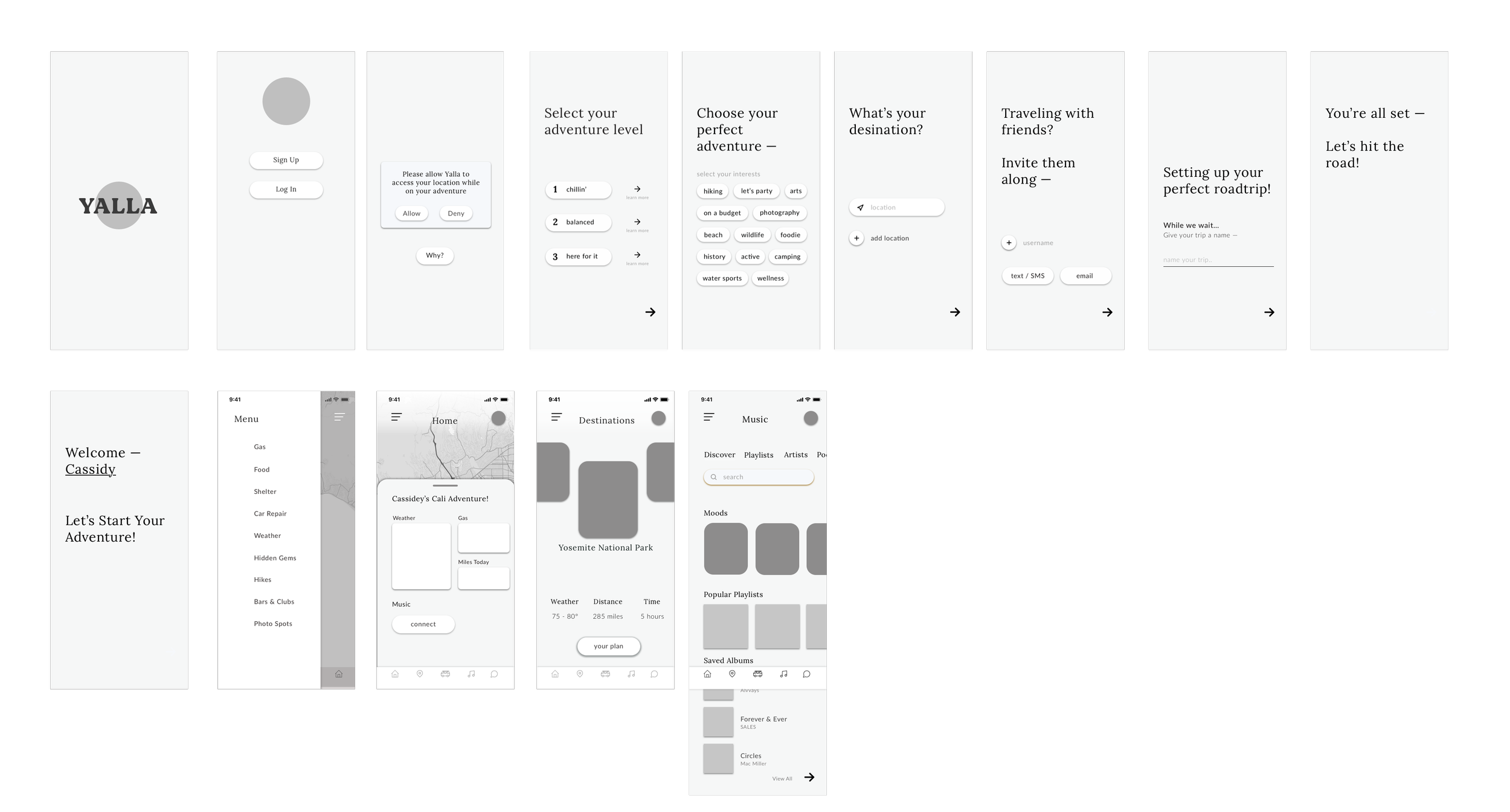
PrototypeCore experience prototype
workflowsCore experience
Creating a trip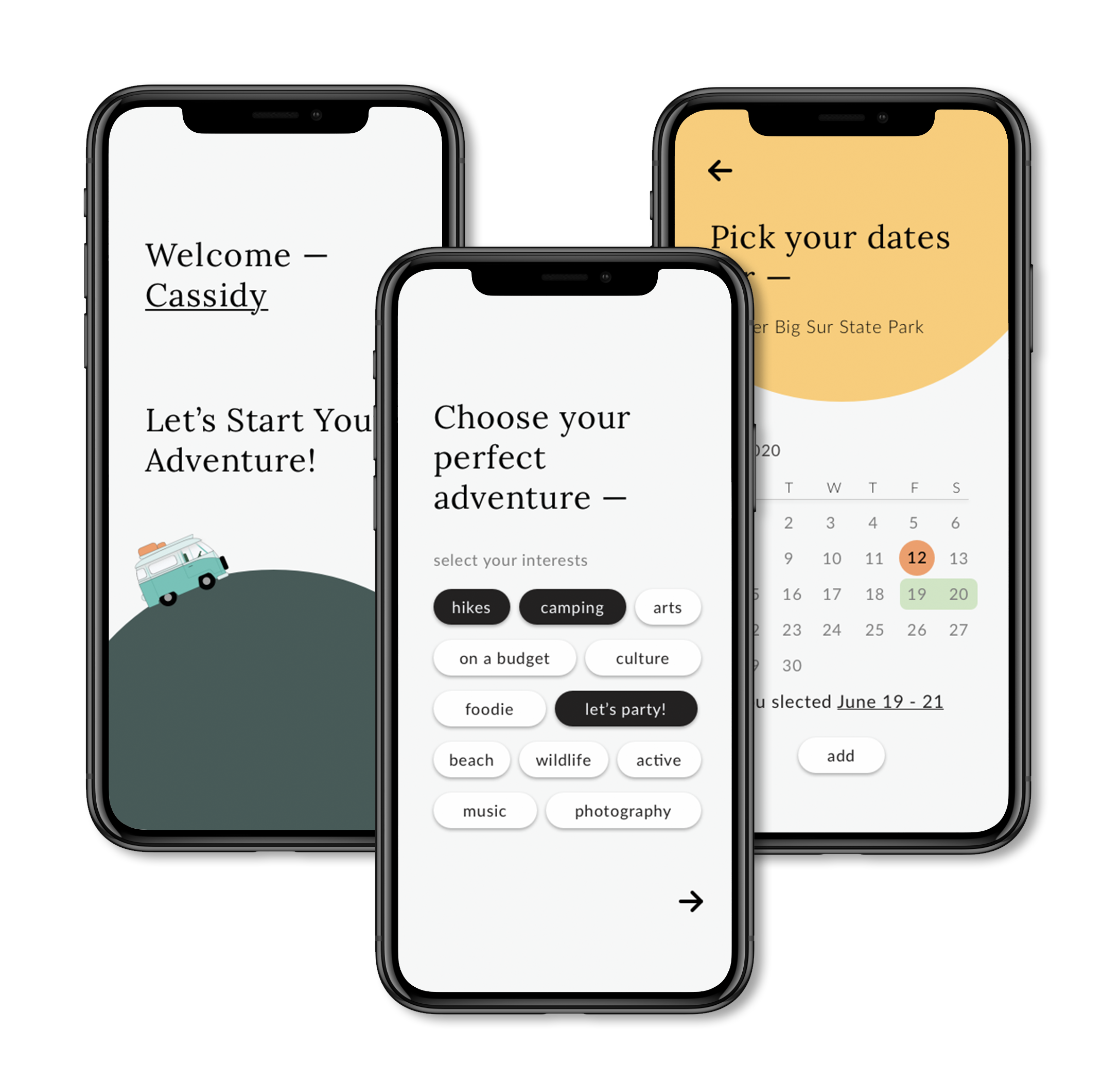
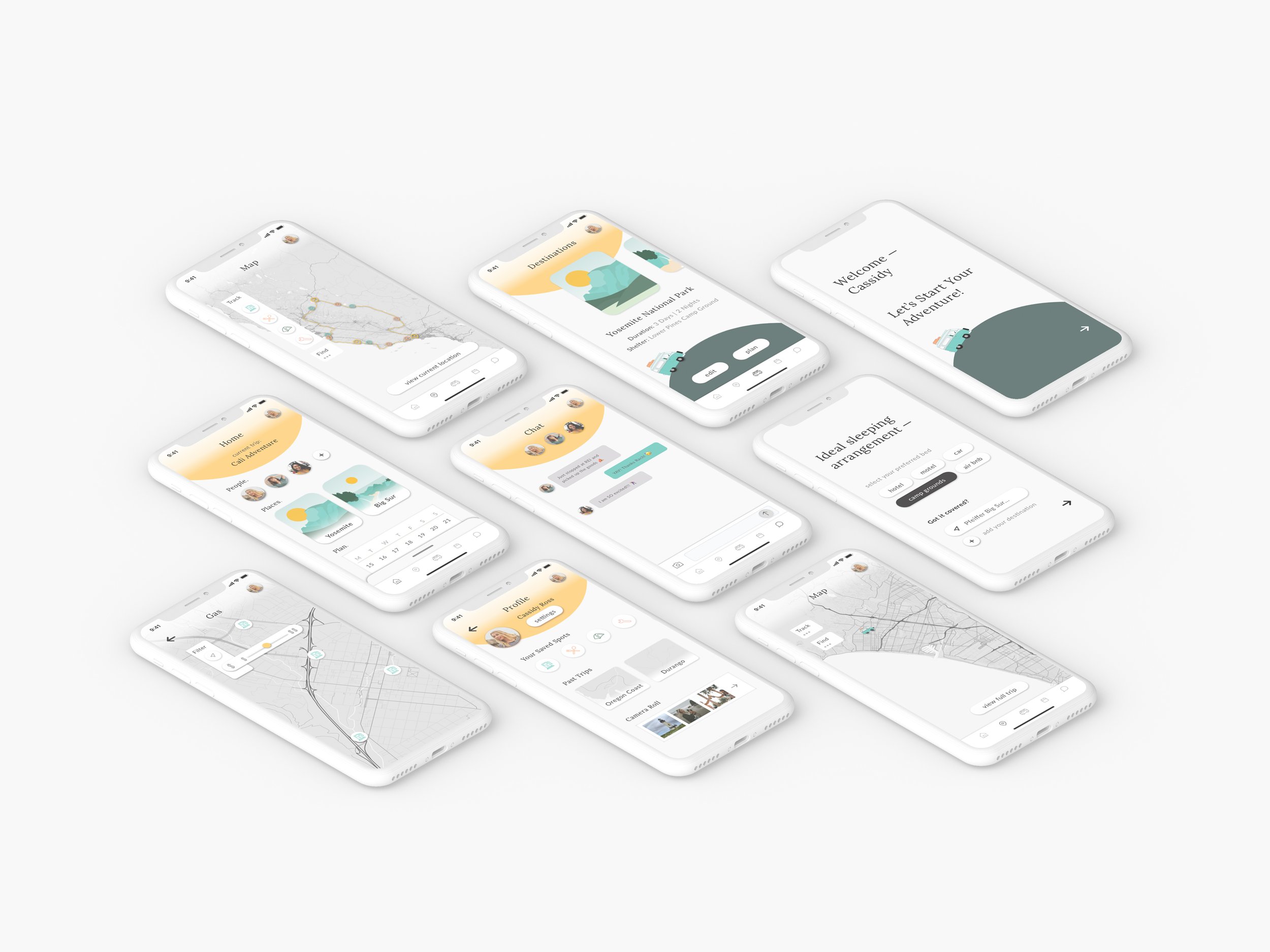
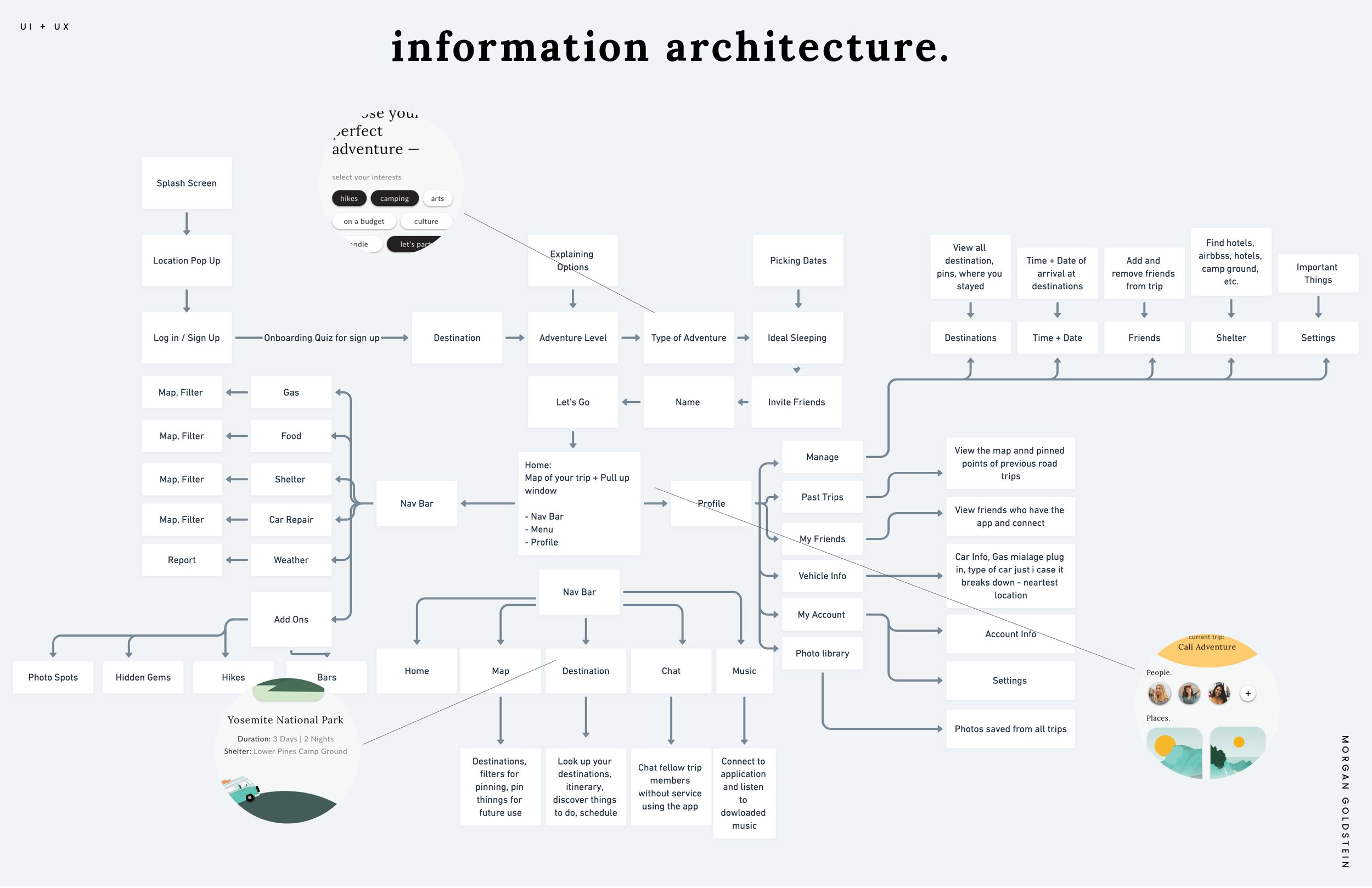
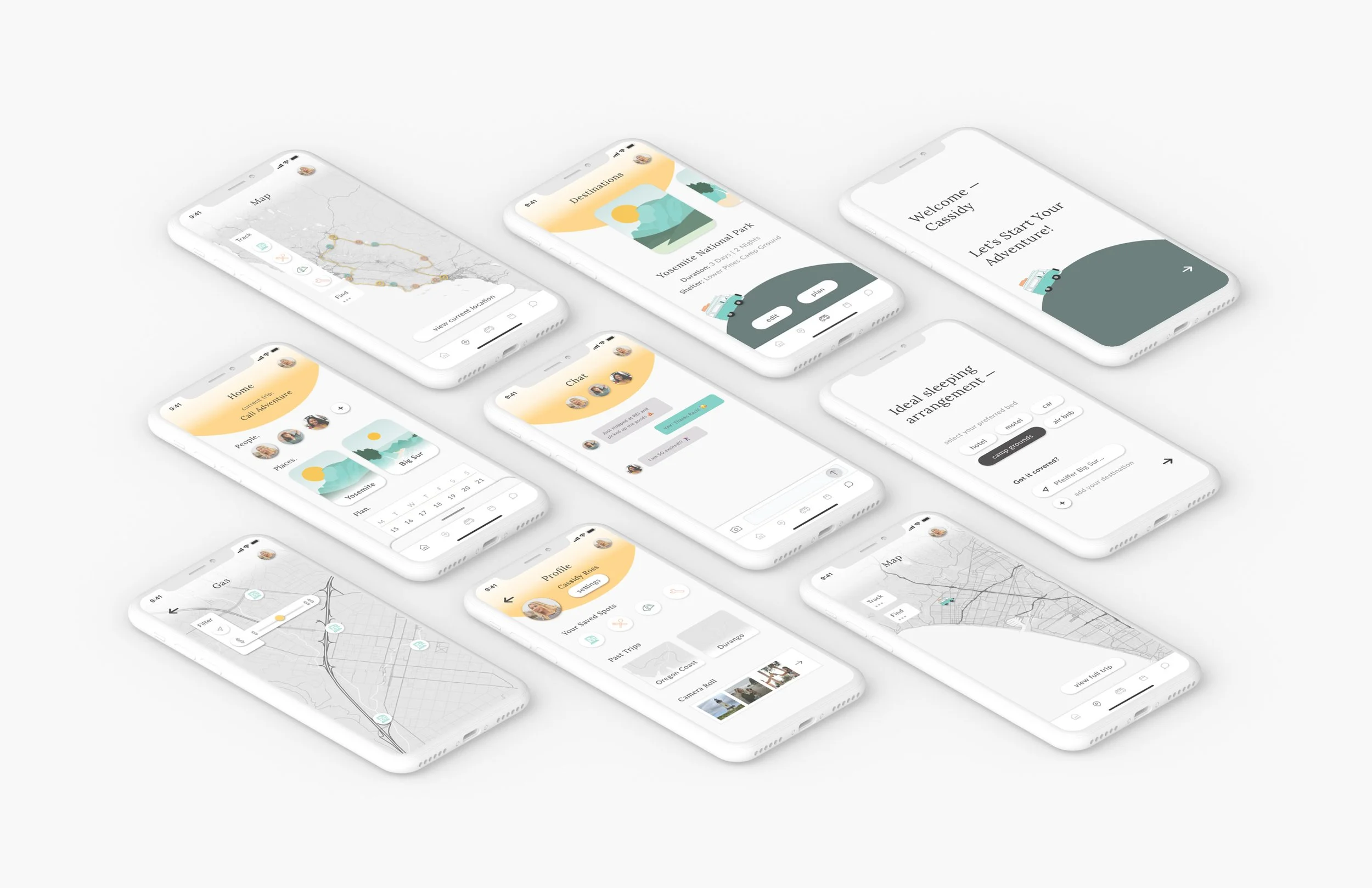
The onboarding quiz allows users to set up their ideal road trip. The quiz considers the main destination(s), what activities each user wants to experience, and ideal sleeping arrangements. This helps the app set up the experience and curate accurate suggestions.
Home Page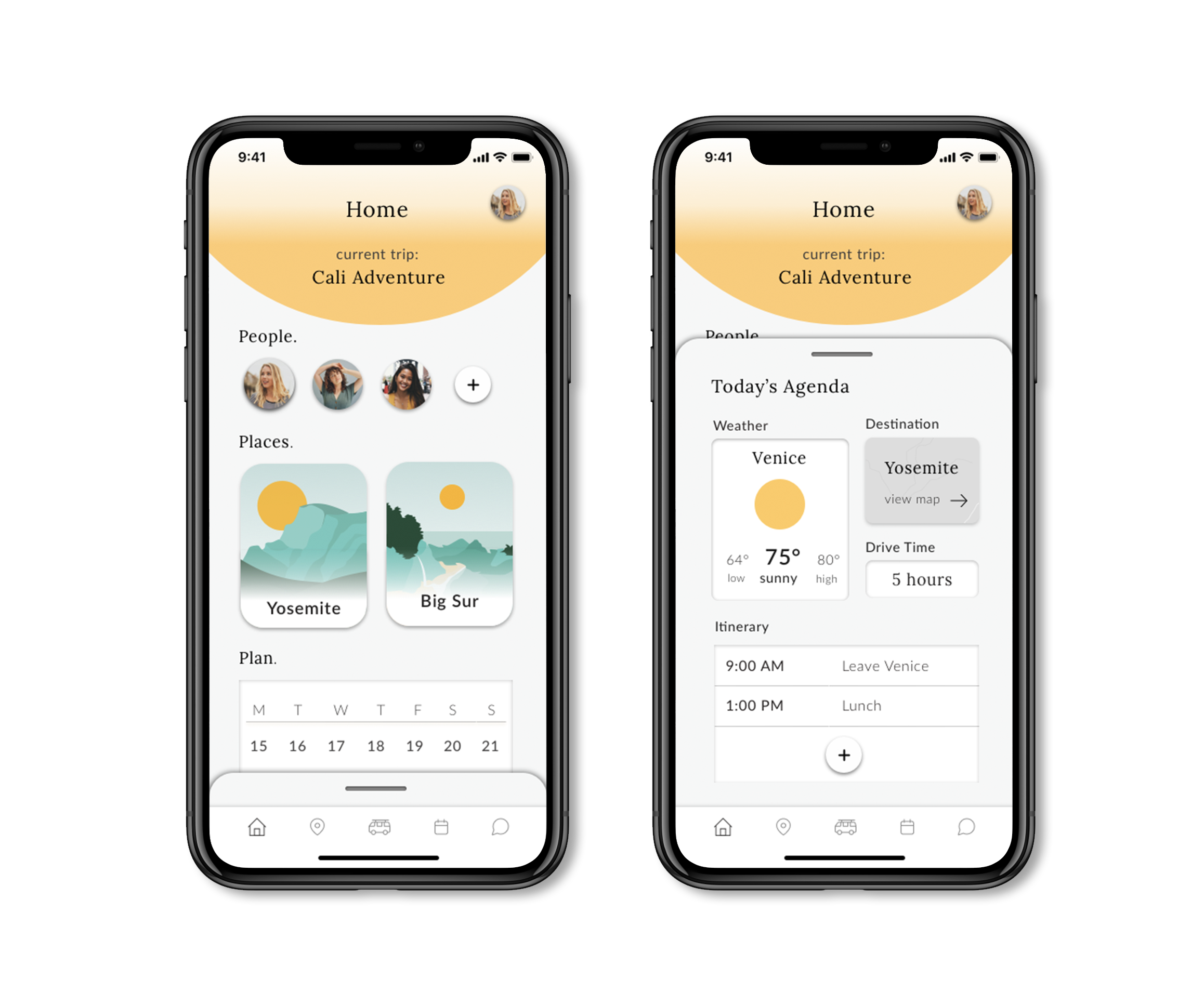
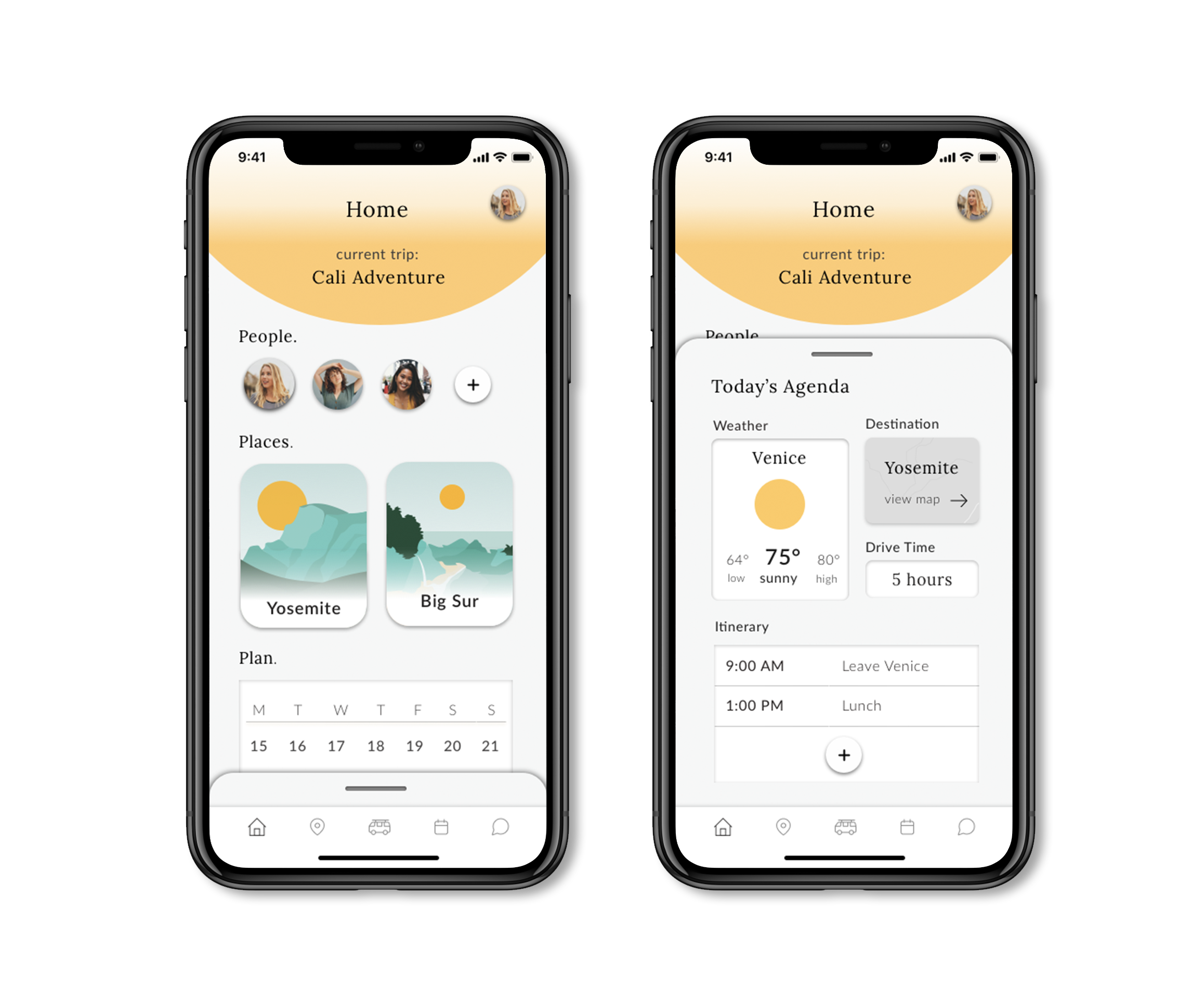
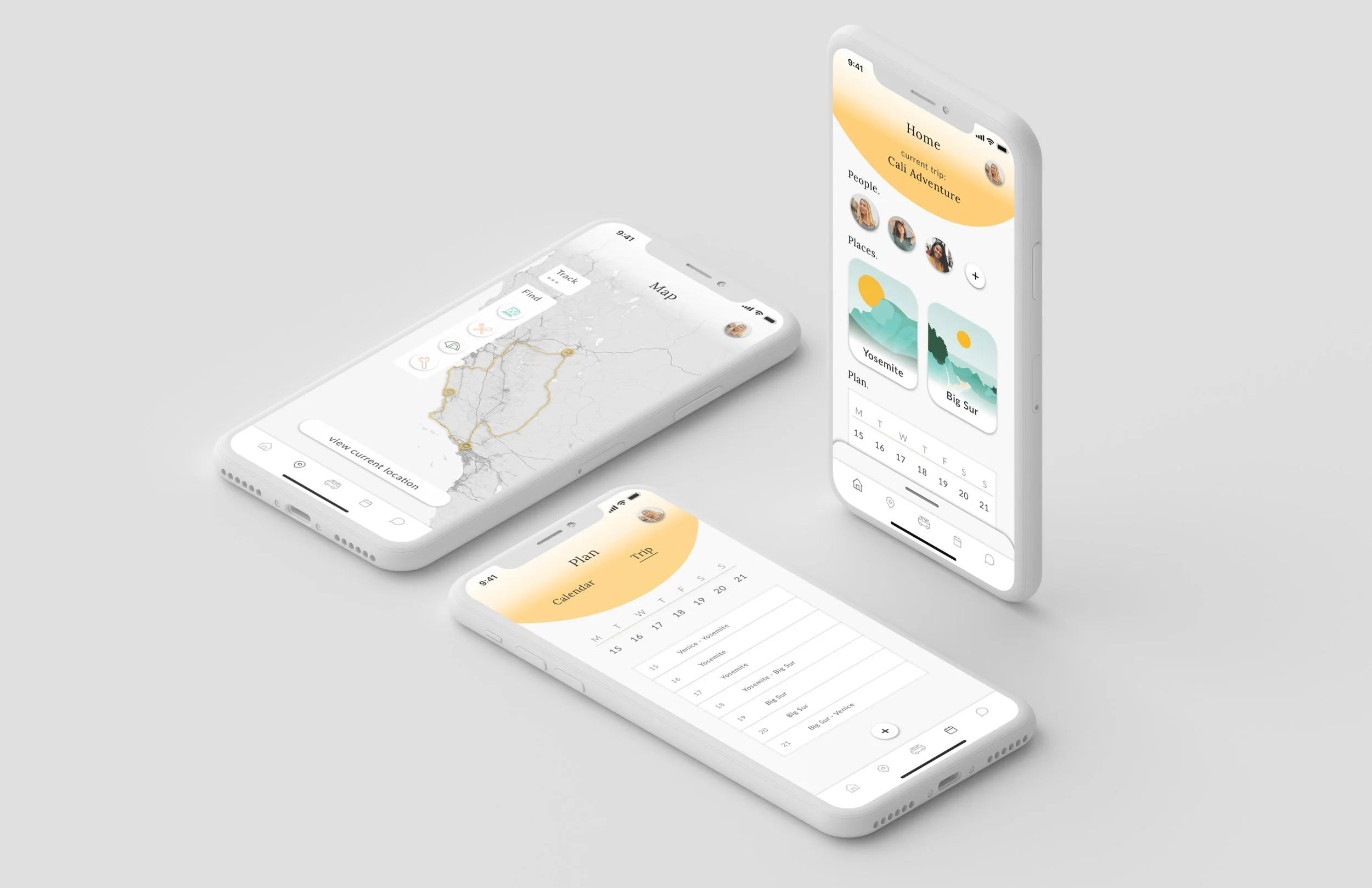
The home features an overview of the user’s trip and participants.
The slide-up menu gives shortcuts or widgets regarding today’s agenda.
Map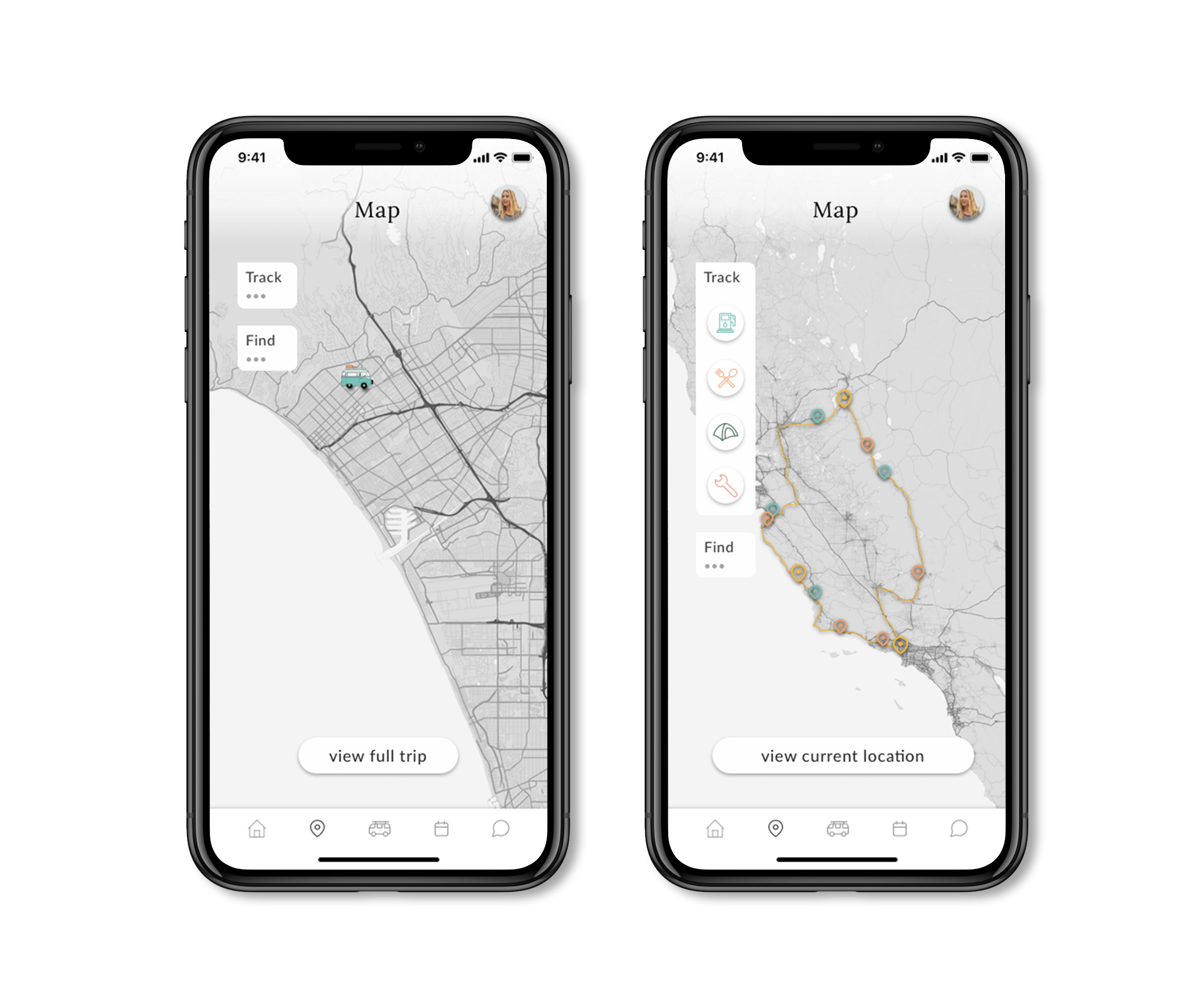
The map outlines the trip route. Pins show items added to the itinerary.
Users can use the map to discover places Yalla suggests and add them to their itinerary.
Main features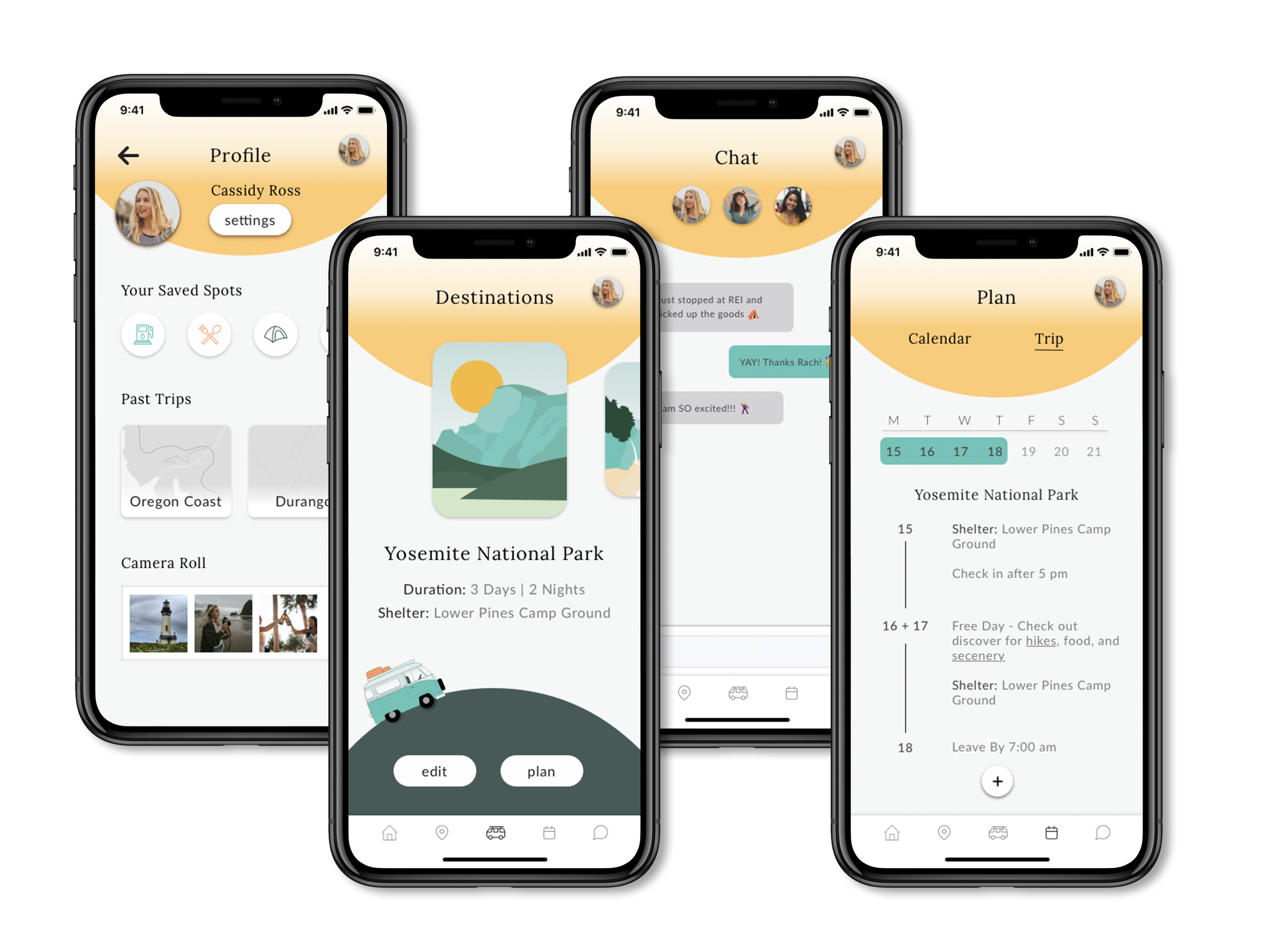
Profile: Access past trips, share photos, and find saved spots.
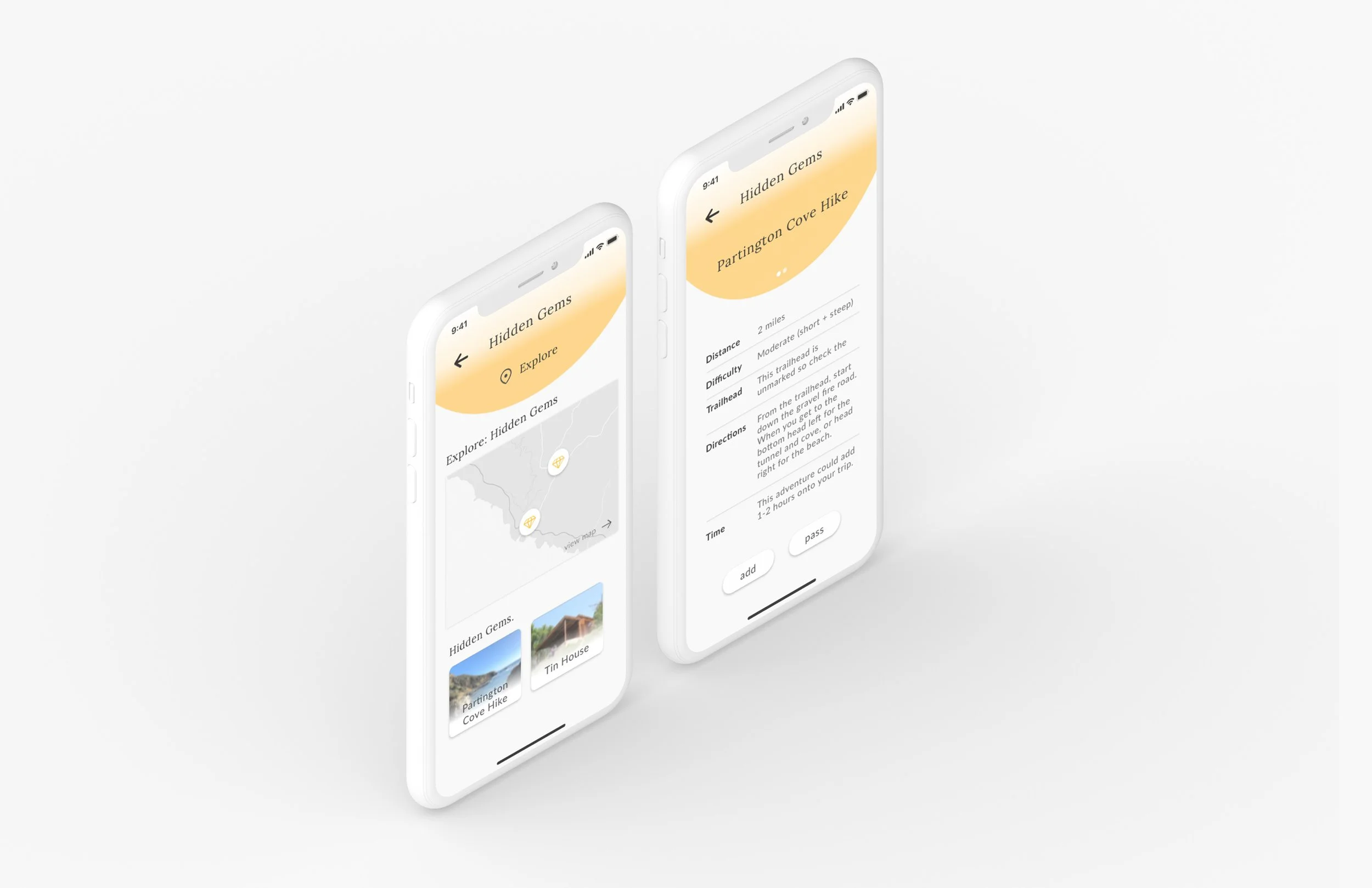
Destination: Overview of your main destination(s). Users can also explore “hidden gems” (non-torist areas) at each destination.
Chat: Move all planning-related chats on the app so conversations don’t get lost.
Itinerary: Showcase activities planned, shelters, and times to leave and arrive. This is where users can add stops and edit.
animationsApp animations using Invision studios.
Welcome screenIn-app animations.
PlanningHighlighting dates
Hidden gem alertAs the group is venturing hidden gems may appear.
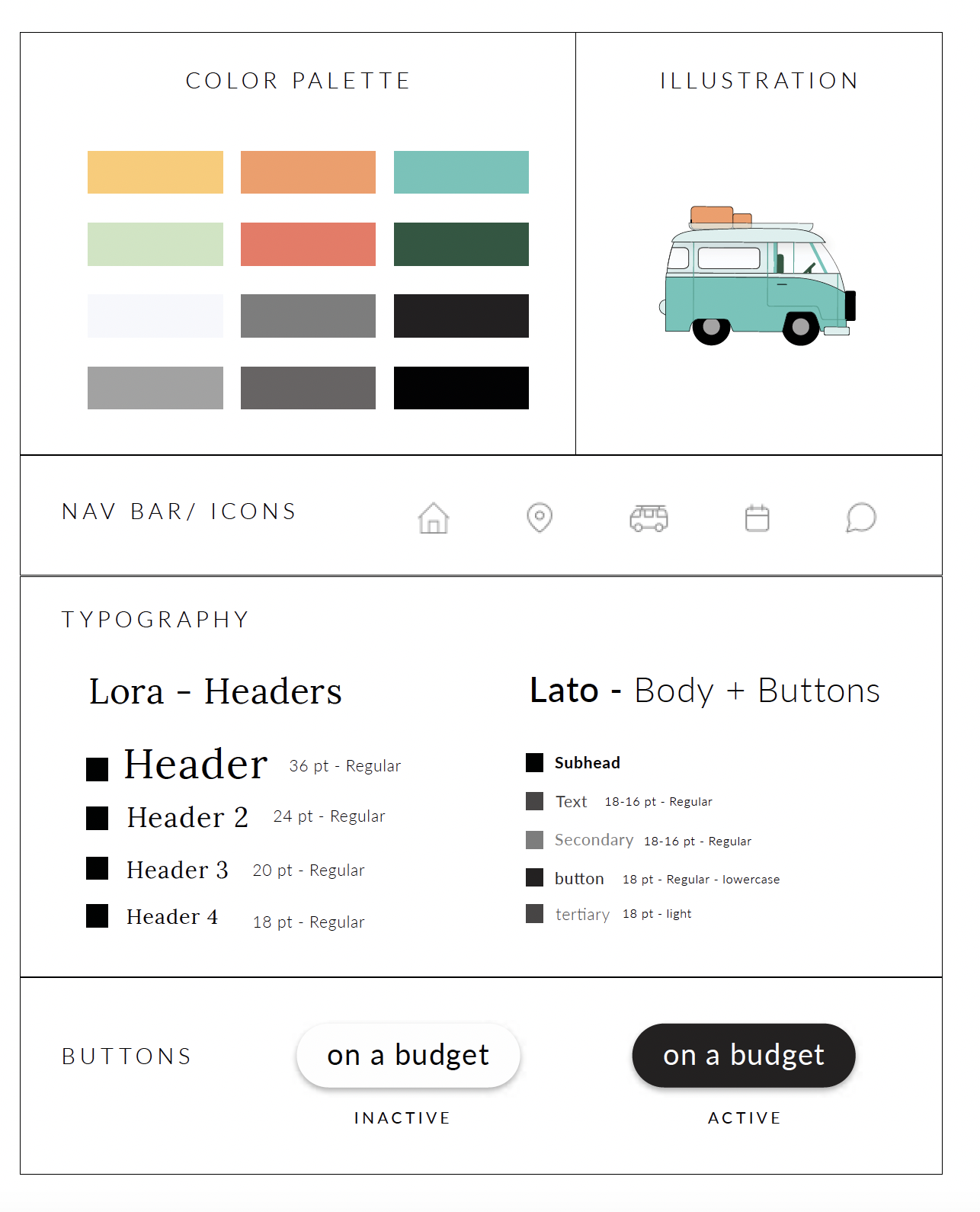
Style guide + identity The app is black and white, using pops of bright colors inspired by nature.
Road trips can seem mundane, long, and repetitive, hence our grey scale. Yalla is an app that enhances the road trip experience by adding fun adventures and offering new endeavors. The pops of bright vibrant colors represent the spontaneous adventures the app fosters. Yellow is the primary color, representing the joy felt while exploring.
Reflection.
There are several interactions and UI decisions I would change after years of experience building planning and navigation features. There are moments of opportunity to simplify, for example, hiding extra information behind the “learn more arrow” during onboarding or minimizing the number of interactions and screens used to filter the map. There are also visual improvements I would make to ensure the app is accessible and legible. Overall, I enjoyed solving a problem I and many close to me had personally experienced. I would love to revisit ways to improve the app and create a web version for fun.